

3D Design

Ansys 3D design simulation tools empower engineers to create, test, and optimise complex products in a virtual environment - reducing physical prototyping costs and accelerating time to market.

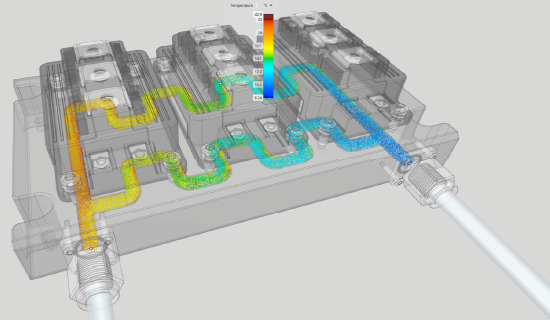
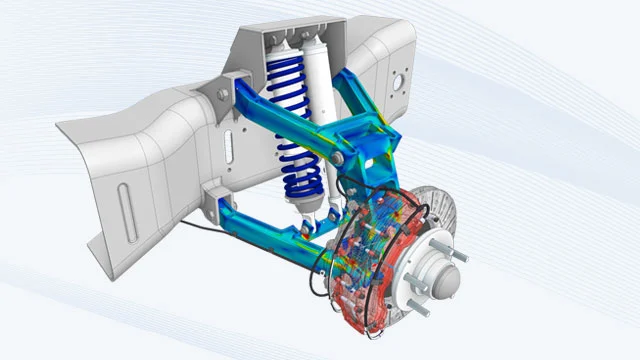
3D Design simulation visualisation

INTUITIVE 3D DESIGN

Ansys SpaceClaim Helps Make Better, Faster Design Decisions

Ansys SpaceClaim gives engineers more time to innovate and optimise product geometry. Trust your design results with software that has been extensively validated across a wide range of industries. With Ansys SpaceClaim, you can create and modify complex geometry and drive simulation — all within a streamlined, customisable workspace.

  • Intuitive Geometry Editing
  • Real-Time Simulation Feedback
  • Full CAD Interoperability
  • Topology & Shape Optimisation

Key Capabilities

Geometry Modelling

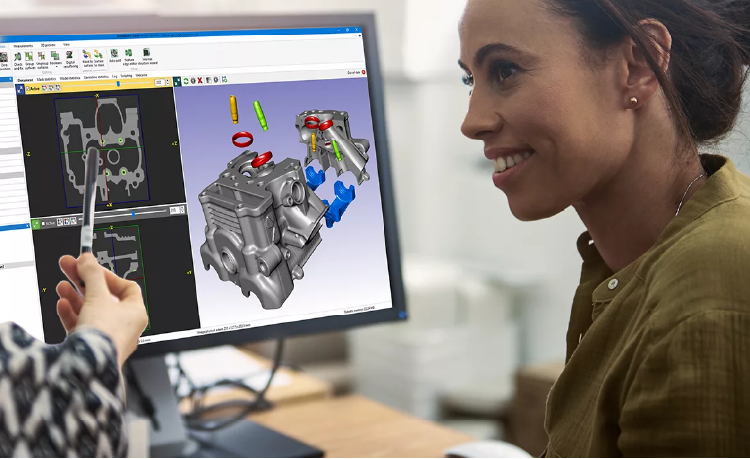
Build and import complex 3D geometries with Ansys SpaceClaim and Discovery — directly inside your simulation workflow.

Design Exploration

Run parametric studies and topology optimisation to find the best design configuration before committing to manufacturing.

Rapid Simulation

Ansys Discovery provides real-time physics feedback so design decisions are informed by simulation from the very first sketch.

CAD Interoperability

Native support for CATIA, SolidWorks, NX, STEP, IGES and more — no geometry translation headaches.

FAQs

What is Ansys 3D Design?

Ansys 3D Design is a suite of tools — including SpaceClaim and Discovery — that lets engineers create, modify, and simulate 3D geometry directly within the Ansys simulation environment, eliminating the need to switch between separate CAD and analysis packages.

How do I download Ansys 3D Design tools?

Licensed users can download Ansys SpaceClaim and Discovery through the Ansys Customer Portal. Contact CADFEM APAC to obtain a licence or request a free trial for evaluation.

How to install Ansys SpaceClaim?

Download the installer from the Ansys Customer Portal, run the setup wizard, and enter your licence server details. Detailed system requirements and step-by-step guides are available in the Ansys Installation Guide included with the download.

How can I learn Ansys SpaceClaim?

Ansys offers free self-paced courses on Ansys Learning Hub, along with official documentation and video tutorials. CADFEM APAC also provides instructor-led training tailored to your industry and workflow.

How to export data from Ansys SpaceClaim?

Use File → Save As to export geometry in formats such as STEP, IGES, ACIS, Parasolid, STL, and more. SpaceClaim also supports direct export to downstream Ansys solvers via Workbench.

How to create a mesh in Ansys Discovery?

Ansys Discovery generates an automatic mesh in real time as you run simulations. For refined control, switch to Refine Mode where you can define mesh sizing, inflation layers, and element types before solving.

Ready to accelerate your design process?

Our engineers can help you evaluate the right Ansys 3D Design tools for your workflow.

Request a Free Trial

Let's Get Started

If you're facing engineering challenges, our team is here to assist. With a wealth of experience and a commitment to innovation, we invite you to reach out to us. Let's collaborate to turn your engineering obstacles into opportunities for growth and success. Contact us today to start the conversation.

CONTACT US