Materials

Empower Material Intelligence

3D Design simulation visualisation

Enable Material Intelligence through cutting-edge features

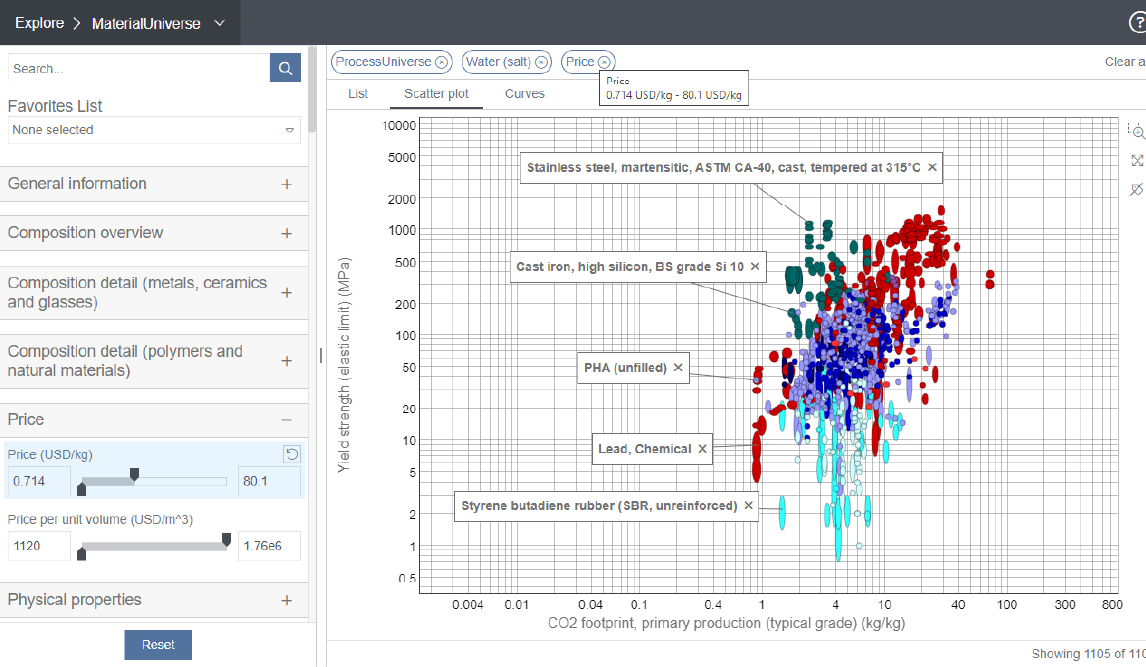
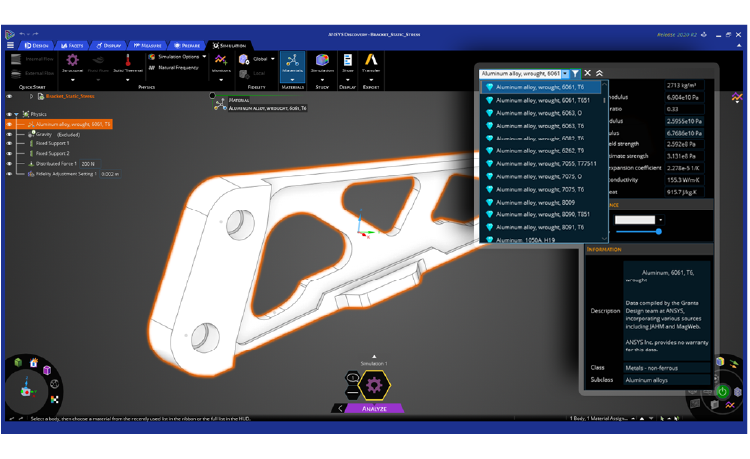
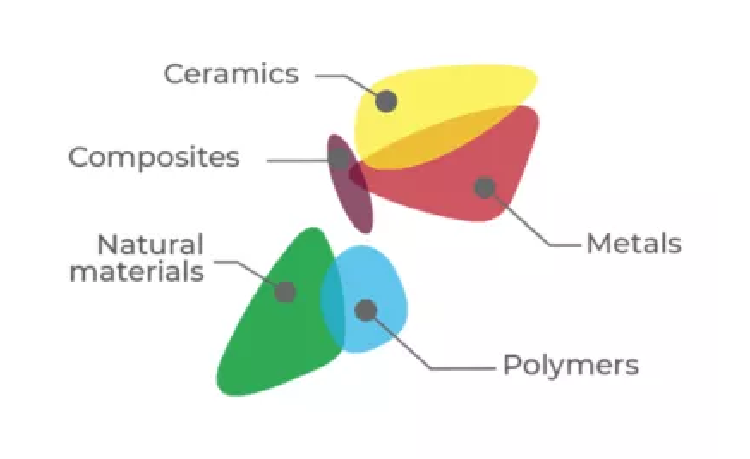
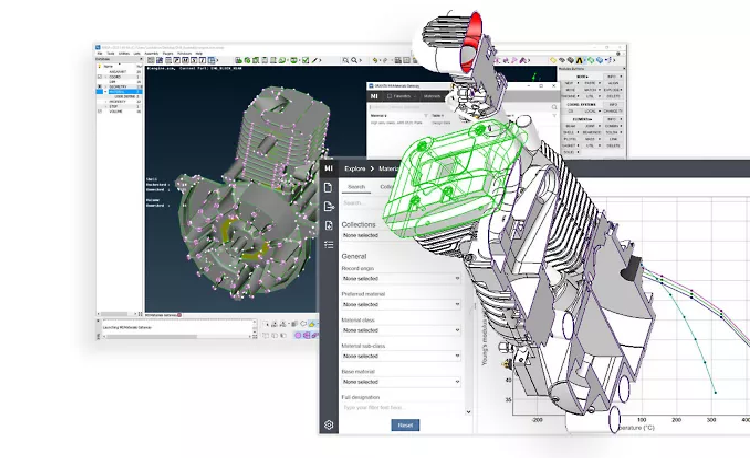
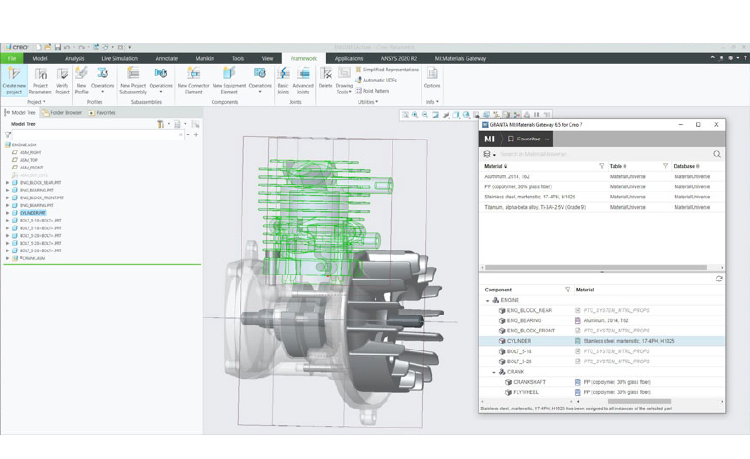
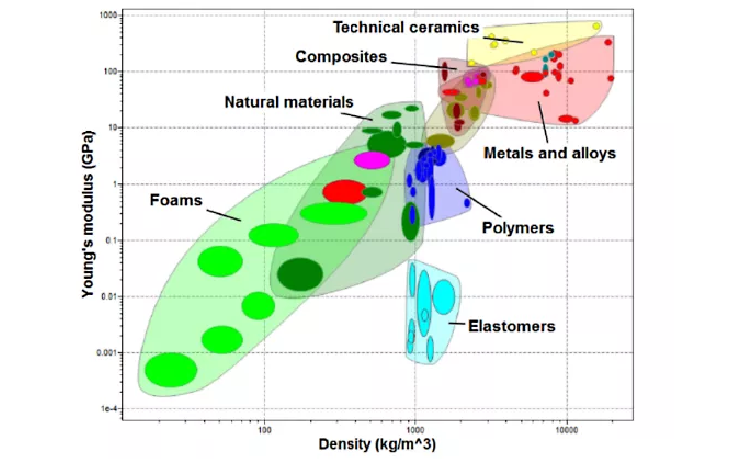
Ansys Granta provides materials information management software to empower companies with Material Intelligence. Ansys Granta MI™ offers a scalable solution for creating and managing material data, seamlessly integrating with CAD, CAE, and PLM systems for consistency. Choose the best material with Ansys Granta Selector, leveraging a comprehensive database. Improve simulation accuracy with access to our extensive materials data library.

Applications

Aerostructures

Ansys Granta aids in aero structures applications by providing comprehensive materials data and tools for informed decision-making. It enables engineers to select the most suitable materials for specific aerospace structural components, considering factors such as performance, weight, durability, and compliance requirements. Additionally, Granta facilitates the integration of materials data into simulation workflows, ensuring accurate analysis and optimization of aero structures for enhanced safety, efficiency, and performance.

Environmental Pollution Control

Granta contributes to environmental pollution control by facilitating the management and analysis of materials data essential for sustainable practices. It enables organizations to track and assess the environmental impact of materials used in their products and processes, helping identify opportunities for improvement. Granta's tools support the selection of eco-friendly materials, substitution of harmful substances, and compliance with environmental regulations. By optimizing material choices and minimizing environmental footprint, Granta assists in mitigating pollution and promoting environmental stewardship across industries.

Manufacturing Industries

With Granta, manufacturers can make informed decisions about material selection, substitution, and optimization to improve product quality, reduce costs, and enhance sustainability. Additionally, Granta facilitates compliance with industry regulations and standards, streamlines collaboration among multidisciplinary teams, and accelerates innovation and product development cycles.

Electric Motors

Ansys Granta provides the extensive add-on magnetic material data for electric motors simulations.

Education and Research

Granta equips students, researchers, and educators with valuable resources for studying and understanding material properties, behaviors, and applications across various disciplines. Granta enables academic institutions to integrate real-world materials data into curricula, research projects, and laboratory exercises, enhancing the quality and relevance of educational experiences. Additionally, Granta supports research endeavors by facilitating data-driven analysis, simulation, and innovation in materials science, engineering, and related fields.

FAQs

What is Ansys 3D Design?

Ansys 3D Design is a suite of tools — including SpaceClaim and Discovery — that lets engineers create, modify, and simulate 3D geometry directly within the Ansys simulation environment, eliminating the need to switch between separate CAD and analysis packages.

How do I download Ansys 3D Design tools?

Licensed users can download Ansys SpaceClaim and Discovery through the Ansys Customer Portal. Contact CADFEM APAC to obtain a licence or request a free trial for evaluation.

How to install Ansys SpaceClaim?

Download the installer from the Ansys Customer Portal, run the setup wizard, and enter your licence server details. Detailed system requirements and step-by-step guides are available in the Ansys Installation Guide included with the download.

How can I learn Ansys SpaceClaim?

Ansys offers free self-paced courses on Ansys Learning Hub, along with official documentation and video tutorials. CADFEM APAC also provides instructor-led training tailored to your industry and workflow.

How to export data from Ansys SpaceClaim?

Use File → Save As to export geometry in formats such as STEP, IGES, ACIS, Parasolid, STL, and more. SpaceClaim also supports direct export to downstream Ansys solvers via Workbench.

How to create a mesh in Ansys Discovery?

Ansys Discovery generates an automatic mesh in real time as you run simulations. For refined control, switch to Refine Mode where you can define mesh sizing, inflation layers, and element types before solving.

Let’s Build What’s Next Together

Whether you're solving complex engineering challenges, accelerating innovation, or exploring new possibilities with simulation and digital engineering, our team is ready to support you. Backed by deep technical expertise and industry experience, we work closely with organizations to transform ideas into reliable, high-performance solutions. Connect with us to discover how CADFEM can help drive your next breakthrough.

CONTACT US

Contact Us Today