From Takeoff to Touchdown: Analyzing Flight Phases with Ansys STK Aviator
The Aviator module in Ansys STK lets engineers simulate and analyze aircraft motion under real-world physical, environmental and operational constraints — from UAV patrol routes to commercial flight paths and defence operations.
SA
Sai Ajay
May 9, 20256 min read
Introduction
Understanding aircraft performance throughout various phases of flight is a critical component of modern aerospace analysis. A high-fidelity simulation environment is essential for assessing UAV patrol routes, optimizing commercial flight paths, or planning defence operations. The Aviator module in AGI's Systems Tool Kit (STK) provides that environment. It allows engineers to simulate and analyze aircraft motion under real-world physical, environmental, and operational constraints.
This blog offers a deep dive into the Ansys STK Aviator module—its core capabilities, workflow, and real-world applications—for anyone involved in mission simulation, flight planning, or research.
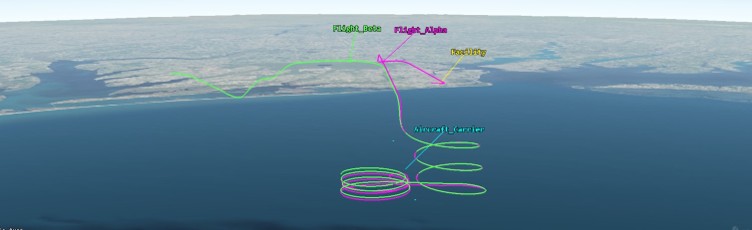
Figure 1: STK visualizing an aircraft mission path with realistic flight dynamics
What is STK Aviator?
STK Aviator is a dynamic aircraft simulation engine within STK, designed to model complete flight trajectories using physics-based calculations. It enables the definition and analysis of realistic aircraft missions by combining:
Users can create missions with fine control over each flight phase, including takeoff, climb, cruise, descent, and landing. Each segment is parameterized by real aircraft limits such as thrust, drag, climb rate, bank angle, etc.
Core Capabilities of STK Aviator
1. Modular Phase-Based Mission Design
The flight path is divided into individual procedure segments:
Climb at constant CAS or Mach
Bank turns with a specified angle
Cruise at a fixed altitude and speed
Idle descent or controlled approach
These can be linked to model entire missions from runway to runway.
2. Airport and Runway Modeling
STK Aviator allows users to simulate realistic airport procedures and constraints:
Use real-world coordinates and terrain elevation to create site-specific airfield environments.
Model takeoff and landing profiles with rotation speeds, climb-out paths, and gear/flap configurations.
Include airport elevation, surface type, and local restrictions for higher accuracy.
This is especially useful for replicating commercial routes or validating airport operations in civil aviation scenarios.
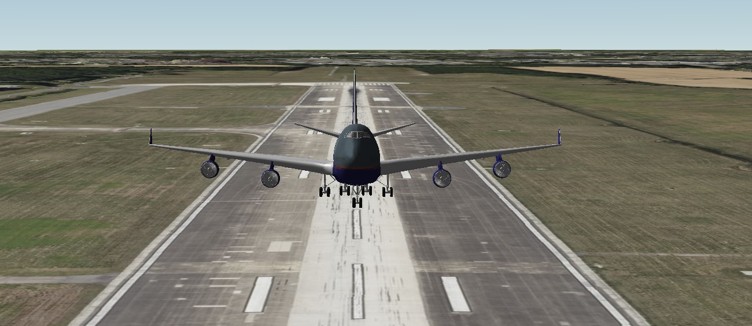
Figure 2: Boeing 747-400 takes off from the airport runway in STK
3. Sensor and Payload Integration
STK Aviator can be integrated with EO/IR, radar, and communication payloads using other STK modules.
Simulate line-of-sight, sensor coverage, and detection footprints throughout the flight.
Model how sensor performance varies with altitude, terrain, and aircraft orientation.
Essential for ISR missions, surveillance aircraft, and UAV payload validation, this enables users to not only simulate the aircraft's flight path but also its visual perception, detection capabilities, and communication with other entities during its mission.
Exportable metrics for post-processing in Excel, Python, or MATLAB
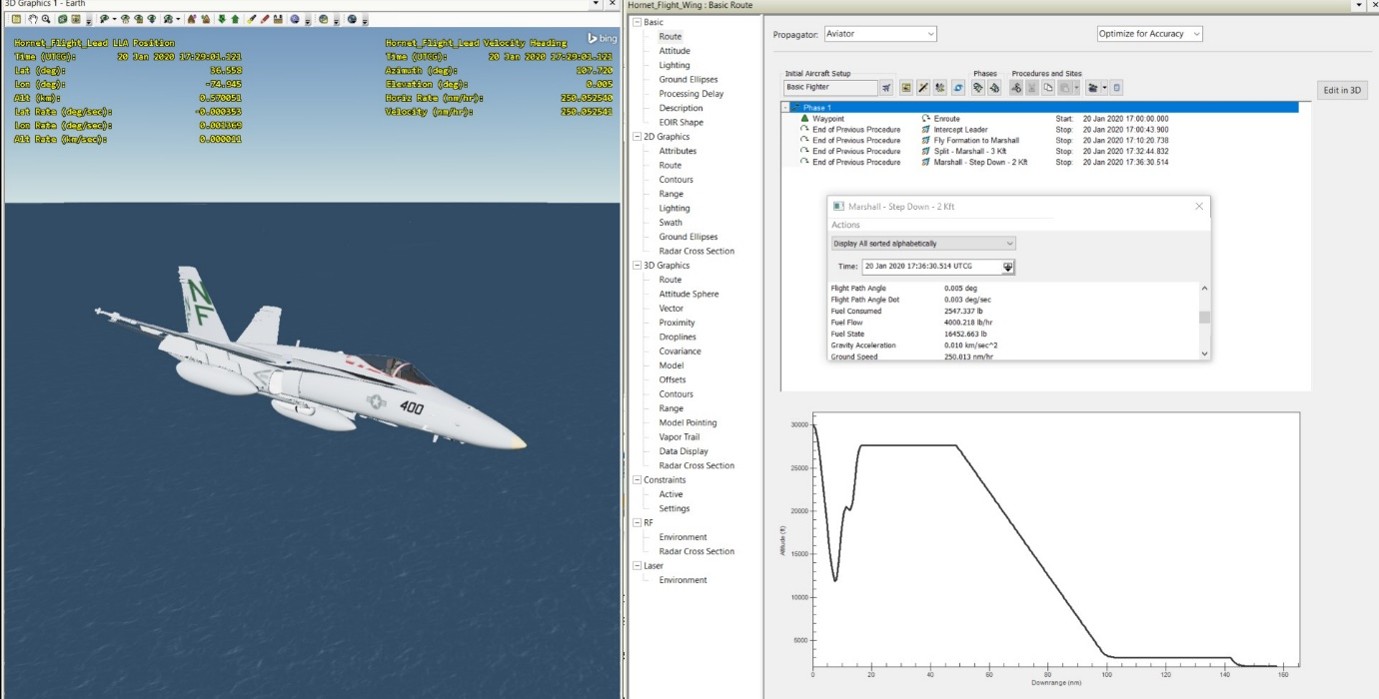
Figure 3: Performance plot: Aircraft altitude vs. Downrange, generated through STK Aviator.
5. Automation and Scripting Support
Full access to the Aviator API using Python, MATLAB, C#, or Java
Batch scenario generation for sensitivity studies
GUI + command-line workflow compatibility
Real-World Applications
1. Military Mission Planning
Plan and simulate complex operations involving low-altitude ingress, terrain masking, and multi-aircraft coordination to ensure seamless execution.
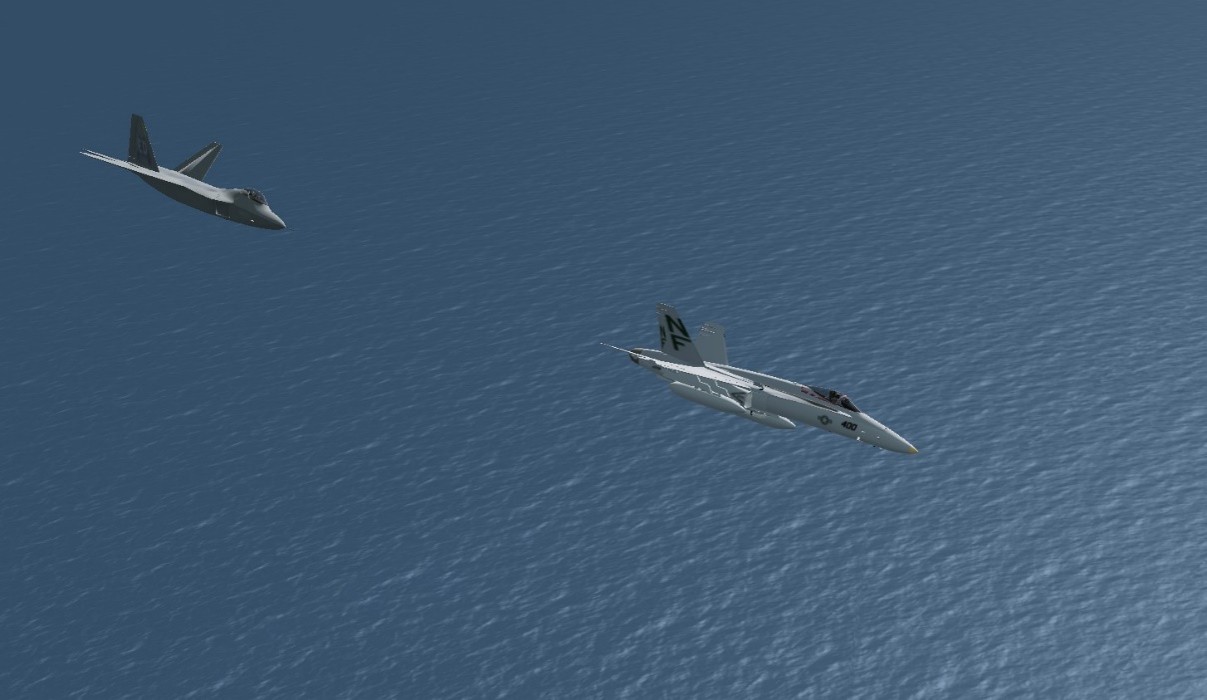
Figure 4: Tactical engagement simulation with one aircraft pursuing another, showcasing multi-object mission planning
2. Commercial Flight Route Optimization
Evaluate flight plans under varying payload, altitude, and weather conditions to minimize cost and maximize safety.
3. Surveillance and UAV Operations
Validate UAV routes for persistent surveillance, accounting for battery life, signal coverage, and terrain clearance.
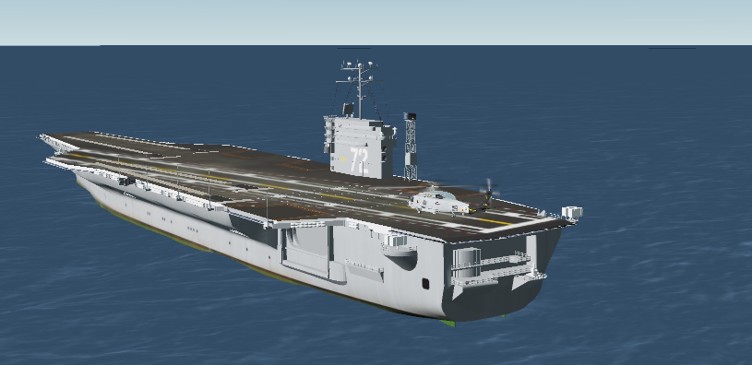
Figure 5: Helicopter carrier-based landing scenario simulated using custom runway configuration in STK
4. Academic and Research
Model aircraft dynamics, aerodynamic testing, and propulsion behaviour under flight conditions for educational and R&D purposes.
Additional Considerations
5. Terrain and Weather Impacts
Aviator automatically accounts for terrain conflicts, helping simulate nap-of-the-earth flight and safe descent into mountainous regions. Wind and air density factors modify speed and fuel burn for accuracy.
6. Integration with External Data Sources
Incorporate weather feeds, satellite data, or air traffic restrictions from external tools or live inputs into the STK simulation.
7. Batch and Comparative Analysis
Engineers can simulate multiple aircraft, routes, or weather scenarios in batch mode and use comparative plots to inform design or planning decisions.
Conclusion
STK's Aviator module transforms aircraft simulation from static planning to dynamic, scenario-based analysis. With robust aircraft modeling, terrain and atmospheric integration, and real-world mission simulation capabilities, Aviator is a go-to tool for professionals across defence, research, and commercial sectors.
Whether you're building UAV flight plans, evaluating new air routes, or simulating a fighter jet's maneuverability, Ansys STK Aviator provides the data and visualization tools to optimize performance and ensure mission success.
Found this useful? Share it
Continue Reading
More from our engineers.
If this article was useful, these picks up where it leaves off — practical reads from the CADFEM engineering practice.