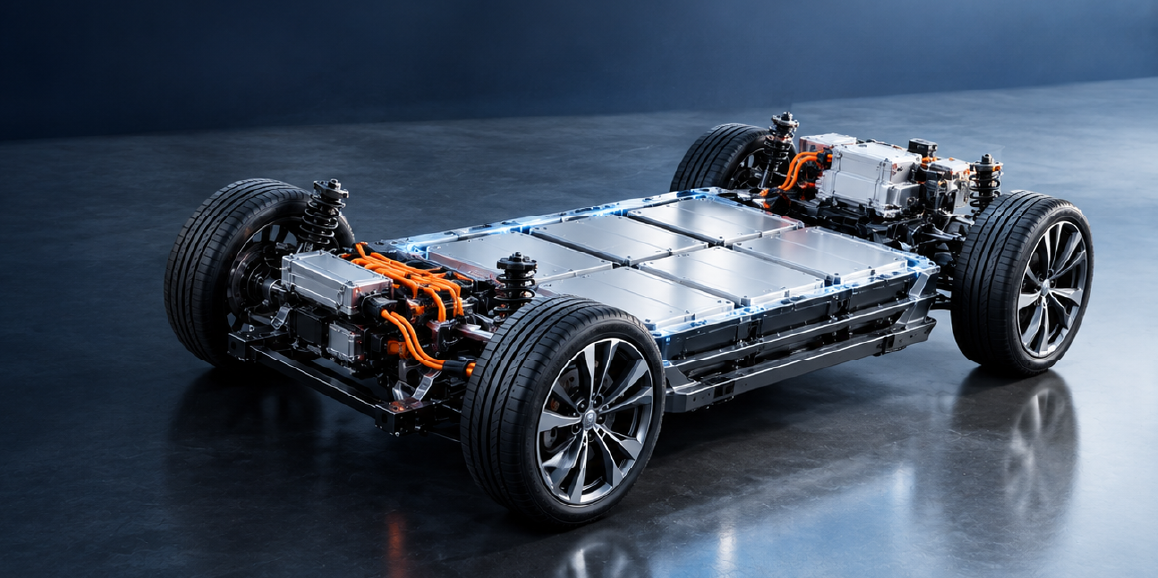
What Is a Battery Management System? Guide for Automotive Applications
Read the CADFEM guide to smart BMS functions, automotive thermal management, centralized vs. modular architectures, and Ansys simulation
Read Article →
Discover how PyAEDT — Modern electronic systems rarely operate within a single physical domain.

Modern electronic systems rarely operate within a single physical domain. A high-speed processor, a 5G antenna array, an electric vehicle inverter, or a satellite payload must simultaneously satisfy electromagnetic performance, thermal reliability, and structural integrity requirements. As system complexity increases, evaluating these coupled physical effects early in the design cycle becomes critical.
Simulation has therefore become a core component of electronics product development. Engineers rely on high-fidelity tools to evaluate signal integrity, electromagnetic compatibility, thermal dissipation, and mechanical stress before committing to hardware. Platforms such as Ansys Electronics Desktop provide a unified environment for performing these analyses using specialized solvers including Ansys HFSS, Ansys Maxwell, Ansys Icepak, Ansys Q3D Extractor, Ansys Circuit, TwinBuilder, and Ansys EMIT.
However, as simulation models grow in size and complexity, traditional manual workflows built around graphical user interfaces and repetitive setup steps can limit productivity. Design teams increasingly require automated, scriptable workflows capable of running parameter sweeps, optimization studies, and multiphysics analyses at scale.
This requirement has led to the growing adoption of PyAEDT, a Python interface designed to automate and control the complete electronics simulation workflow.
PyAEDT is an open-source Python library developed within the PyAnsys ecosystem that enables programmatic interaction with Ansys Electronics Desktop. Instead of manually configuring simulations through the graphical interface or relying on legacy scripting languages, engineers can control AEDT directly through Python scripts.
Using PyAEDT, engineers can:
This capability enables simulation workflows to be integrated directly into engineering pipelines, allowing designers to automate repetitive tasks and build scalable simulation frameworks.
The Python interface provides access to all AEDT solvers, meaning electromagnetic, thermal, and circuit simulations can be orchestrated within a single automated environment.
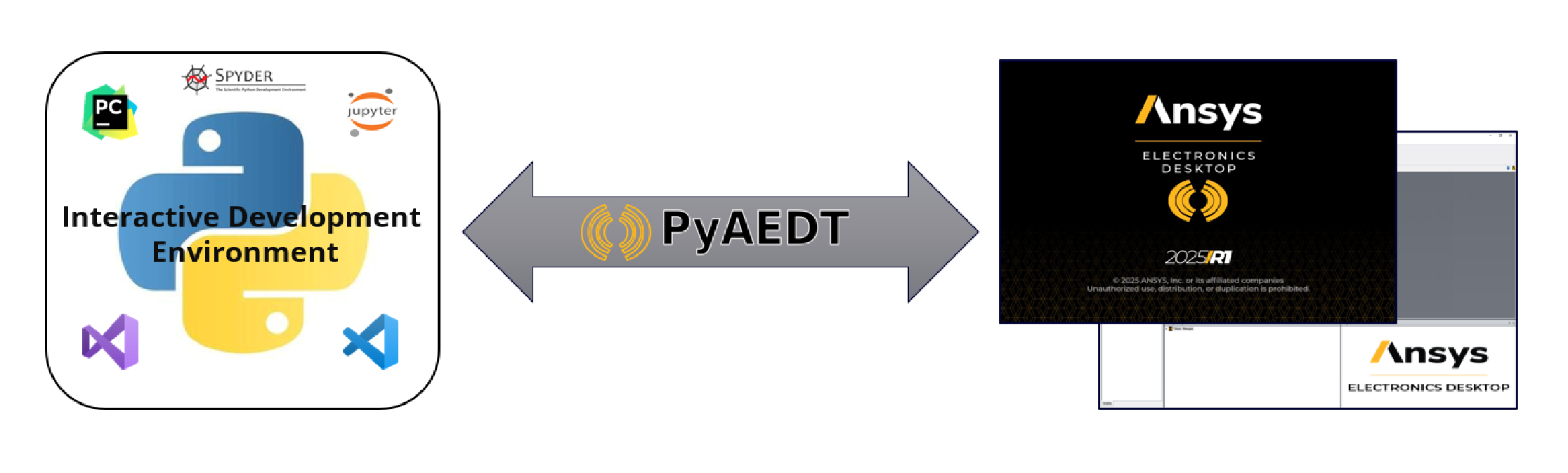
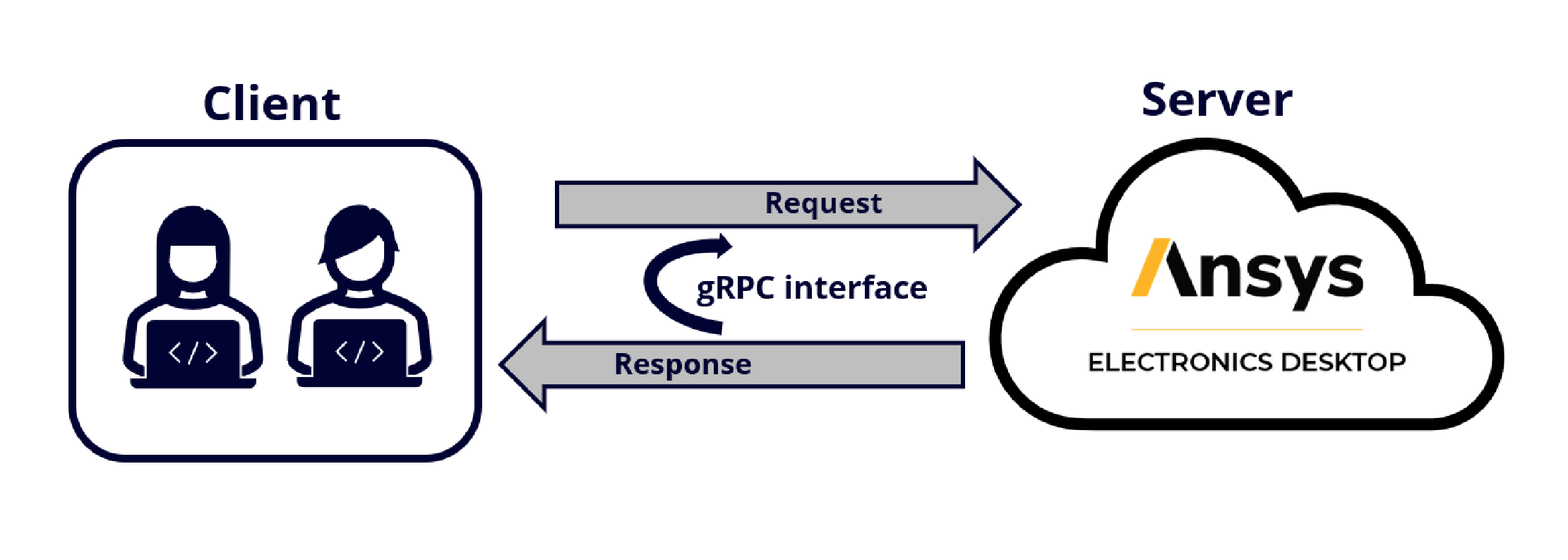
PyAEDT communicates with Ansys Electronics Desktop through a client–server architecture using gRPC (Google Remote Procedure Call) technology.
In this structure:
The Python client sends high-level instructions such as geometry creation, solver configuration, or simulation execution. AEDT receives these commands, performs the requested operations, and returns the results to the Python environment.
This architecture provides several practical advantages:
As a result, engineers can build simulation pipelines that interact with high-performance computing resources, design databases, and external optimization frameworks.
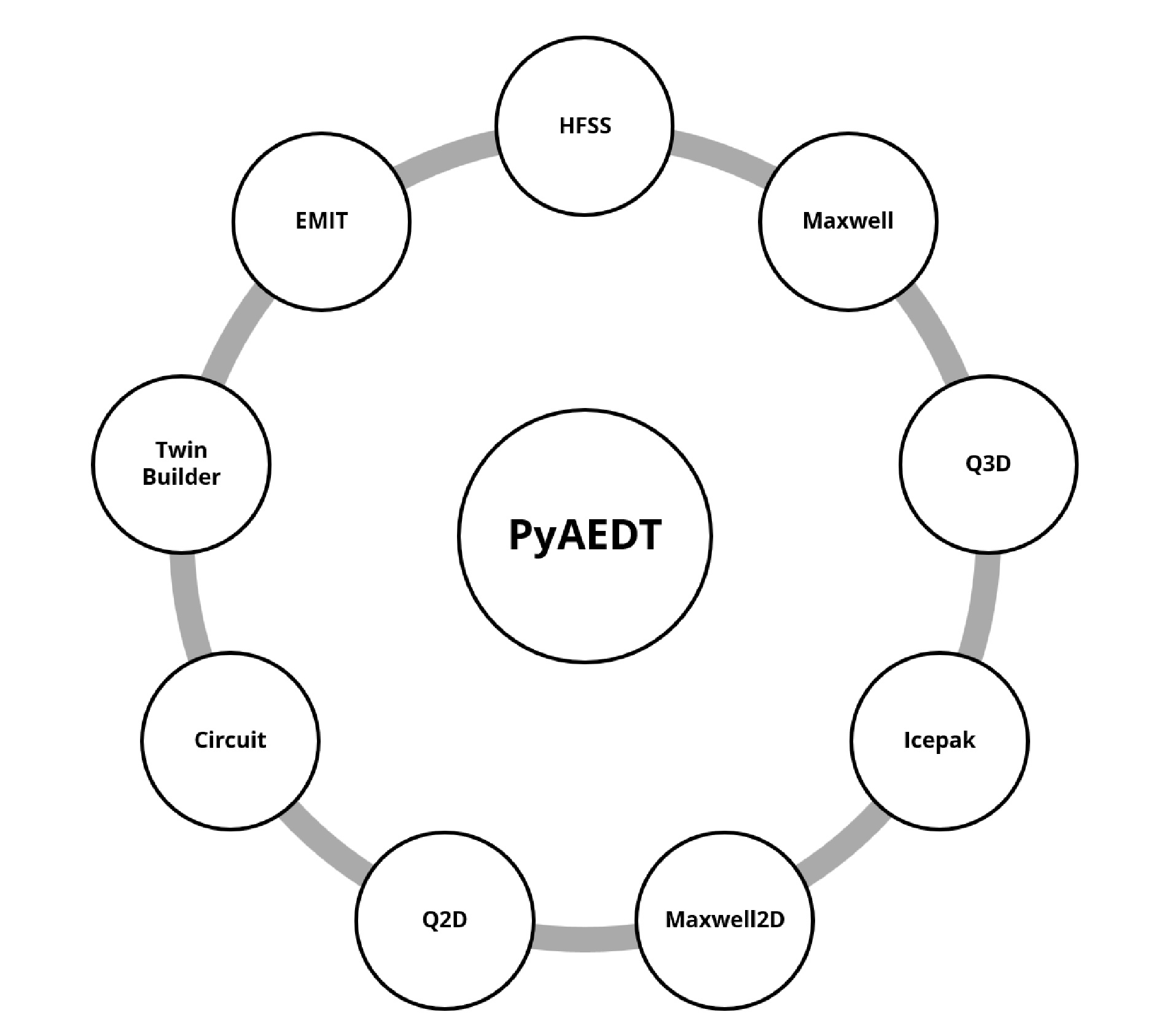
PyAEDT serves as a central automation layer that connects to the different solver environments available within Ansys Electronics Desktop. PyAEDT provides dedicated modules for each solver, enabling users to automate tasks such as geometry creation, setup configuration, simulation execution, and results extraction across all these domains. Through Python automation for Ansys Electronics Desktop, engineers can implement structured electronics simulation workflow automation across multiple physics environments. This allows engineers to interact with multiple simulation environments through a consistent Python-based workflow.
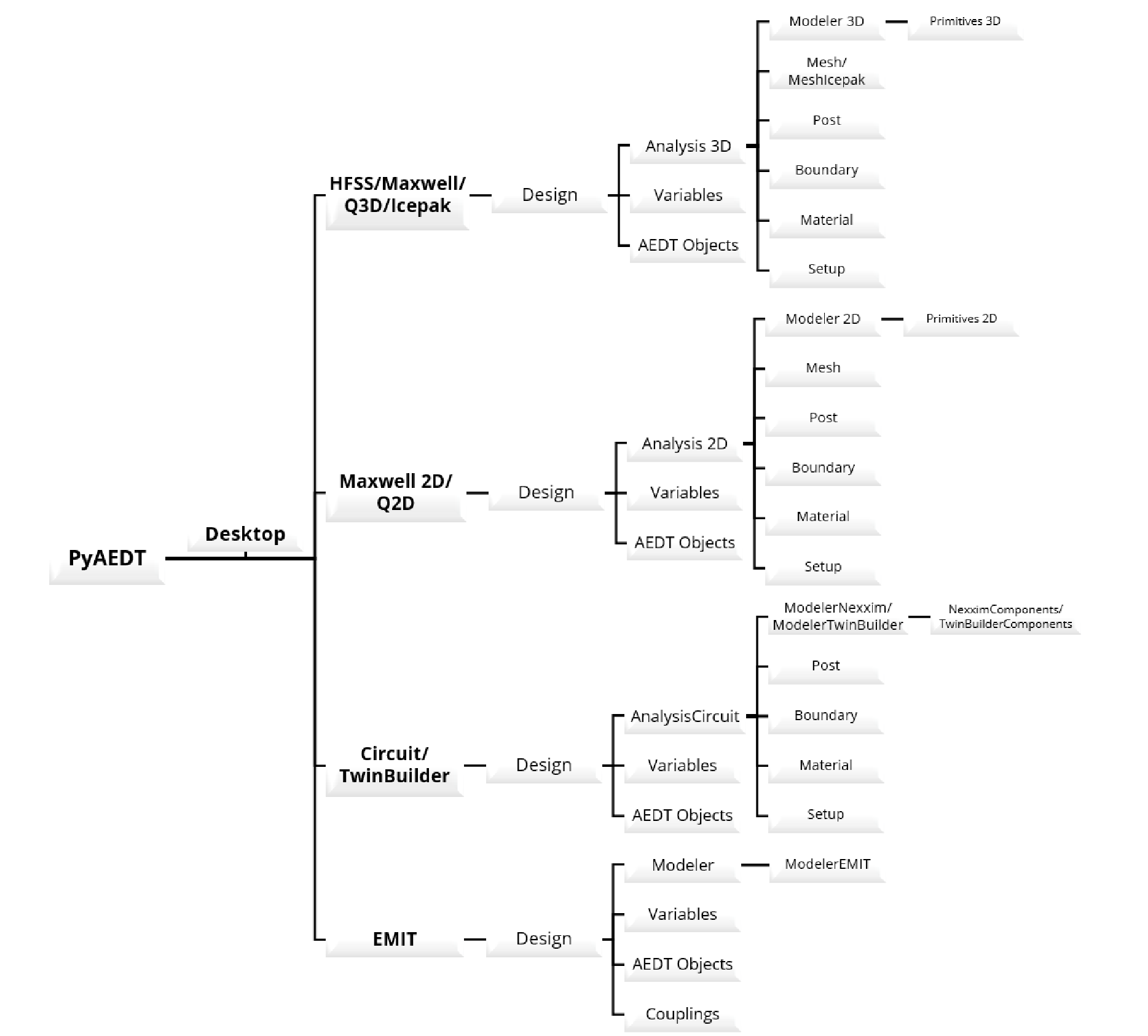
Once a solver environment is accessed, PyAEDT provides programmatic control over the key components of a simulation design, including Design Access, Variables, AEDT Objects, Modeling and Geometry, Simulation Configuration, Post-processing and Results. This capability makes PyAEDT a powerful tool for integrating simulation-driven design into modern engineering automation workflows and enabling scalable PyAEDT automation across large simulation studies.
Traditional simulation workflows involve repetitive manual steps from geometry preparation to mesh setup and data extraction. PyAEDT eliminates many of these repetitive processes by enabling end-to-end electronics simulation workflow automation. Engineers can run batch simulations, perform parameter sweeps, and build optimization loops with minimal manual input. This not only accelerates development cycles but also reduces the likelihood of human error.
As a code-driven framework, PyAEDT gives users complete control over every aspect of their simulation workflow. With Python automation for Ansys Electronics Desktop, engineers can incorporate custom logic, integrate internal tools, and create adaptive processes that respond dynamically to simulation results, ensuring tailored and highly efficient workflows.
A key strength of PyAEDT is its ability to coordinate interactions across multiple solvers within Ansys Electronics Desktop. This capability is central to advanced electronics simulation workflow automation.
For example:
By automating data exchange between solvers, PyAEDT automation enables robust virtual prototyping and significantly reduces dependence on repeated physical testing.
PyAEDT allows direct integration with advanced analytics and AI/ML frameworks, further strengthening electronics simulation workflow automation. Engineers can process large datasets, build predictive models, and optimize design parameters using tools like NumPy, Pandas, TensorFlow and Scikit-learn — turning simulation data into actionable insights.
Automation is becoming a central requirement in electronics simulation as products become more complex and development cycles shorten. PyAEDT addresses this need by combining the computational capabilities of Ansys Electronics Desktop with the flexibility of Python scripting.
Through programmatic control of geometry creation, solver configuration, multiphysics data exchange, and result analysis, PyAEDT enables engineers to build scalable simulation workflows that extend beyond manual GUI-driven processes.
For design teams working on advanced electronics from communication systems to power converters and aerospace subsystems Python-based automation offers a practical way to improve productivity, explore broader design spaces, and support data-driven engineering decisions.
 Multi Physics
Read the CADFEM guide to smart BMS functions, automotive thermal management, centralized vs. modular architectures, and Ansys simulation
Read Article → Structures
Di tengah pesatnya perkembangan teknologi rekayasa, adopsi CAE di Indonesia menjadi kunci utama dalam meningkatkan efisiensi dan produktivitas berbagai sektor industri.
Read Article → Electronics
Learn how to use Ansys HFSS SBR+ for 77 GHz automotive radar simulation, evaluating radome effects, antenna performance, radiation patterns, and installation.
Read Article →Connect with CADFEM experts for advanced simulation, automation, and engineering solutions tailored to your industry.